
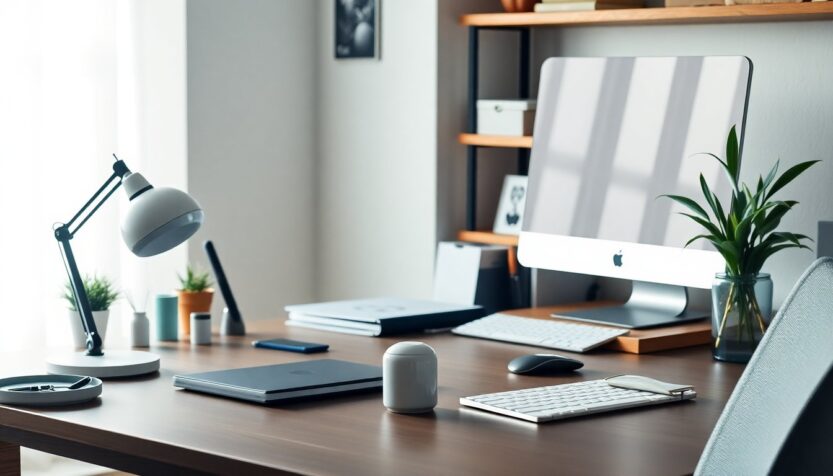
Who this is for: anyone who works at a desk—at home, in an office, or in shared spaces. What you’ll get: a compact, low-cost playbook of small swaps and design tweaks to refresh your desk. When: spring (but useful anytime). Where: on your desktop, monitor shelf, drawers and nearby surfaces. Why bother: smarter lighting, a tidier surface and a few well-chosen touches lift mood, sharpen focus and make daily work feel smoother.
Lighting: aim for clarity, not glare
– Swap a hulking lamp for a slim LED task light with dimming and color‑temperature control. Cooler light helps you concentrate; warmer tones soothe tired eyes during evening work. A flexible neck or swivel head lets you steer illumination exactly where you need it.
– Position the light so it avoids screen glare and casts soft, even light across paperwork. Good lighting reduces eye strain and makes tasks feel less effortful.
Surface and cord management: keep the workspace calm
– Start with one or two visible elements: a soft desk pad or a refreshed mousepad visually anchors the area and hides wear. – Tame cords with clips, a cable tray or a simple cable sleeve to preserve a clean silhouette. – Declutter visually: pick trays and containers that match or coordinate, and give frequently used items a designated spot.
Plants and visual interest: bring life without fuss
– A small plant, succulent or herb pot adds color and a natural focal point. Place it near your monitor or on a floating shelf to break up flat surfaces and draw the eye upward.
– Prefer no-maintenance options? Realistic faux greenery still adds texture and warmth.
– Plants can boost mood and reduce visual monotony, acting as a quiet anchor during repetitive tasks.
Paper and small-item systems: simple, elegant solutions
– Adopt three containers: an inbox tray for new papers, a daily folder for work in progress, and a small bin or outgoing tray for items that must leave your desk.
– Use subtle labels or a label maker for cohesion, and a drawer organizer to keep pens, chargers and sticky notes accessible but out of sight.
– These small rules cut decision fatigue and stop paper from piling up.
Curated accessories: pick pieces that perform
– Choose tactile, durable items: a comfortable pen, a weighted notebook, a textured mousepad. They make everyday actions feel a little more deliberate.
– Swap mismatched coasters or trinket dishes for a couple of pieces that reflect your style without crowding the workspace—think one framed print or a small sculpture rather than a shelf of objects.
– Prioritize materials and colors that are easy on the eyes; less visual noise improves concentration.
Ergonomics and tech tweaks: small changes, big returns
– A monitor riser brings your screen to eye level and protects your neck. – A wireless charger eliminates cable clutter and simplifies your routine. – Replacing an awkward mug with a lighter, brighter one is a tiny seasonal lift that doesn’t disturb function but perks up the look.
Maintenance habits: keep the refresh alive
– Spend five minutes at the end of each day returning items to their homes. Little nightly resets prevent chaotic mornings. – Rotate decorative accents by season to keep things feeling fresh. – Once a month, do a quick purge: remove outdated papers, donate or tuck away items you no longer use.
What you’ll notice
– Better lighting and a tidy surface reduce eye strain and speed daily tasks. – A single plant and a few considered accessories lift mood and make the desk feel intentional. – Consistent, minimal systems cost little to set up and are easy to sustain—so the workspace stays useful, not cluttered.
Source
– This checklist and its lifestyle tips were inspired by a curated feature from The Everygirl (posted 03/03/2026).
Lighting: aim for clarity, not glare
– Swap a hulking lamp for a slim LED task light with dimming and color‑temperature control. Cooler light helps you concentrate; warmer tones soothe tired eyes during evening work. A flexible neck or swivel head lets you steer illumination exactly where you need it.
– Position the light so it avoids screen glare and casts soft, even light across paperwork. Good lighting reduces eye strain and makes tasks feel less effortful.0