

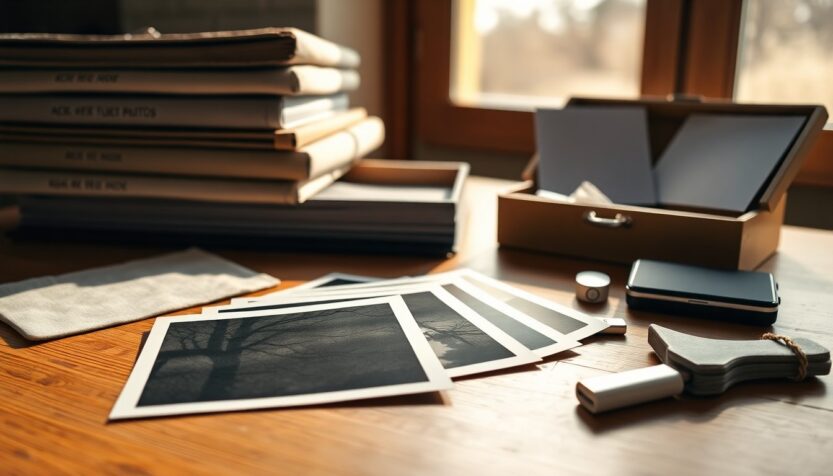
If you have a mixed stash of old albums, loose prints and overflowing phone galleries, the task of sorting them can feel endless. Procrastination is tempting, but letting that pile grow only adds stress and risk: paper prints become brittle and digital hoards become unmanageable. Treating this work as a series of short, intentional sessions turns an overwhelming job into a realistic project. Think of editing as choosing the chapters that best tell your life’s story rather than trying to keep every single page.
Approaching the project with a clear plan reduces the emotional toll of reliving every memory at once. Invite a trusted friend or family member to help if that makes the process lighter, but know that working alone can also be rewarding. Create a simple rhythm — short blocks of time, a labeled box for keepsakes, and a notebook for notes — and you will find momentum. Use photo decluttering as your guiding principle: fewer images, better stories, easier access.
Why downsizing matters
Beyond freeing shelf and storage space, sorting your photos protects their value as memories and reduces environmental cost. Physical photographs kept in albums are exposed to light and oxidation; moving treasured images into archival boxes or sleeves helps preserve them. Likewise, endless digital copies consume storage and contribute to digital clutter that relies on energy-hungry data centers. Even small edits—deleting duplicates, screenshots and unwanted images—can lower your digital footprint and make the collection more meaningful. The aim is not ruthless deletion but thoughtful curation: keep what best represents events, relationships and milestones while letting go of redundancy.
How to edit: treat photos as stories
Reframe editing as storytelling: choose images that convey emotions, context and continuity. If you imagine assembling an album for a grandchild or a future you, you will naturally favor clear moments over every variation of a sunset. Be wary of subconscious hoarding: landscapes taken in abundance often lose their uniqueness, while portraits capture personality and connection. Use simple rules to decide—keep the best one or two images per event, retain the authentic moments even if slightly imperfect, and remove unrecognizable faces. This approach makes the task manageable and honors the narrative those images create.
Start with prints
Begin with the physical stuff: albums and loose boxes. Albums tend to contain previously selected favorites, but the paper may be degrading; consider carefully removing photos from glued pages and placing them into archival print boxes or polyester sleeves. Loose prints can actually be in better condition; sort them by year or decade and set aside key events like weddings and vacations. Use index cards or a notebook to jot dates, names and locations to help when you digitize later. If you’re undecided about certain prints, scan them first and then make a final call to keep or recycle the original.
Tame your digital files
Your phone and computer galleries deserve the same curated attention. Start by hunting obvious space-wasters: screenshots of receipts, images of parking spaces, excessive scenic photos, and multiple near-identical selfies. Delete screen grabs and ephemeral snaps as you go, and consolidate similar shots into a single best choice. Give folders meaningful names or use metadata and keywords to tag events and people; this will make retrieval simple. Aim for a quick daily or weekly routine of reviewing new captures so your digital files never balloon back into chaos and so each kept image earns its place.
Practical routines, preservation and next steps
Scan the prints you want to preserve; high-quality digital versions are easier to share and safer to archive. Keep at least two copies of important files—one local and one offsite or in the cloud—to protect against loss. When in doubt about a print, scanning gives you a middle ground: maintain the memory digitally and decide later about the paper original. Finally, remember that this is a process, not a single event. Set achievable targets—one shoebox per weekend or ten minutes a day on your phone gallery—and celebrate small wins. Share your progress, ask questions, and invite others to pass along tips on maintaining a tidy, meaningful photo collection.
How often do you now edit your photos? Do you have stacks of prints waiting to be scanned or boxes already sorted? Share your experience with the community and turn one small tidy-up into a lasting habit that keeps memories vivid and accessible.