

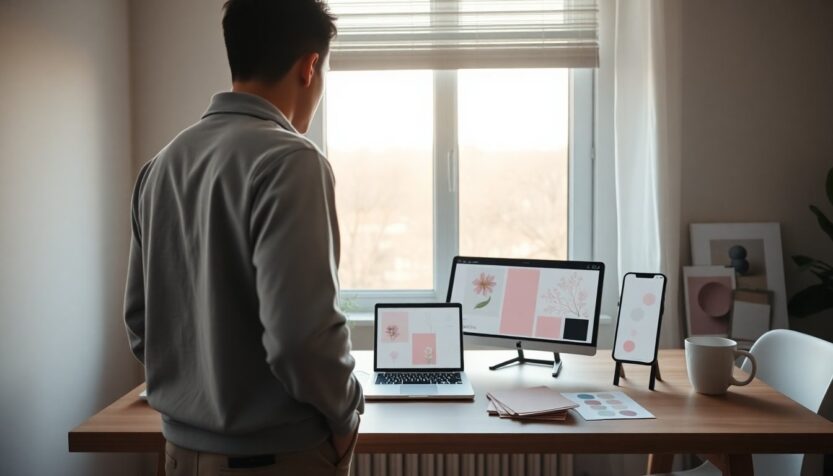
May often feels like a bridge between two seasons, and that liminal quality is exactly what inspired this collection of downloadable backgrounds. Instead of a single aesthetic, the set embraces that spring-to-summer transition with palettes and patterns that read equally well on a work laptop or a phone you check between meetings. These assets are offered free to customize your digital spaces, whether you prefer a soft, floral backdrop or a cleaner, minimalist look. The goal here is practical and playful: to refresh your screens with images that feel timely without overwhelming your icons and widgets.
Each image in the pack was designed with common device constraints in mind. You’ll notice attention to resolution, contrast, and focal placement so important interface elements remain legible. The collection balances graphic and photographic choices, giving you a mix of subtle textures, bold color fields, and small illustrative details. If you like to rotate backgrounds with the seasons, these options let you create a cohesive visual narrative across devices. Take a quick browse, download what resonates, and try swapping backgrounds to match a weekend mood or your weeknight routine.
Why these backgrounds suit May
The aesthetics selected for May lean into gentle warmth and renewed energy. Think muted pastels warmed by golden highlights, or saturated greens that hint at fuller foliage—each variant was created as a response to the month’s in-between feeling. Beyond color, the designs consider negative space and composition so app icons and desktop widgets remain easy to find. Some options use minimal shapes to communicate freshness, while others incorporate small, nature-inspired motifs that feel seasonal without locking you into a single theme. In short, the pack aims for versatility: easily switchable, visually light, and designed to keep your devices readable and stylish.
How to choose the right wallpaper for your device
Picking the perfect background is part aesthetics and part practicality. First, confirm your device’s native aspect ratio and optimal resolution; this ensures images won’t look cropped or pixelated. If you prefer an uncluttered look, select a composition with ample negative space where icons live. If you want something more decorative, choose a version that places the main subject off-center so time and widgets don’t obscure it. Also consider contrast: a background with higher contrast can make text and icons pop, while a softer background promotes a calmer screen presence. Try saving a few options and toggling them over several days to see which one matches your routine best.
Phone-friendly options
Phone backgrounds in this collection prioritize vertical composition and clear focal zones so lock screens and widgets stay readable. Many phone-friendly files come in common mobile resolutions and are offered as PNG or high-quality JPEG to support sharpness without large file sizes. Look for designs that place decorative elements near the edges or corners, leaving the center area simple for app icons and notifications. If you use widgets heavily, pick a version with subdued center contrast so widgets remain legible. Small decorative details near the top or bottom create personality without interfering with touch targets.
Laptop and desktop choices
Desktop wallpapers are composed horizontally and often include broader textures or panoramic scenes that breathe across larger screens. These files are sized to preserve clarity on common monitors, with attention to safe zones where desktop icons typically appear. For multi-monitor setups, choose images with repeat-friendly patterns or wide landscape compositions that can span screens without looking disjointed. If you rely on a busy desktop, opt for minimal designs to reduce visual noise; if you keep a tidy dock and few icons, a more detailed scene can be a pleasant backdrop that complements your workspace.
Downloading, applying, and credit
Download steps are straightforward: select the resolution that matches your device, save the file to your photos or downloads, and apply it through your device’s wallpaper settings. For best results, test both centered and tiled fits, and use the crop tool sparingly to preserve composition. These images were compiled and published by The Everygirl—please note the original post metadata: published on 27/04/2026 22:51. The files are free for personal use, and basic attribution is appreciated if you share them publicly. If you plan to edit or redistribute, review the licensing notes included with each download to ensure compliance.
Final thoughts and quick tips
Refreshing your devices with a new background is a small change that can influence how you feel throughout the day. Rotate a background each week to create subtle shifts in mood, or sync phone and laptop themes for a unified look. Keep a folder of favorites organized by device type to speed up swaps, and experiment with dim overlays or widgets to adapt bright images for night use. Whether you pick a minimalist color field, a floral pattern, or a gentle gradient, these free May 2026 backgrounds are a simple way to make digital spaces feel intentional and refreshed.